Gym Fleet

Every machine in your gym, on one map

Gym Fleet keeps your machines, your floor plan in 3D, your upkeep and your members in one place. It was built inside a working gym with 100 machines and 900 members.

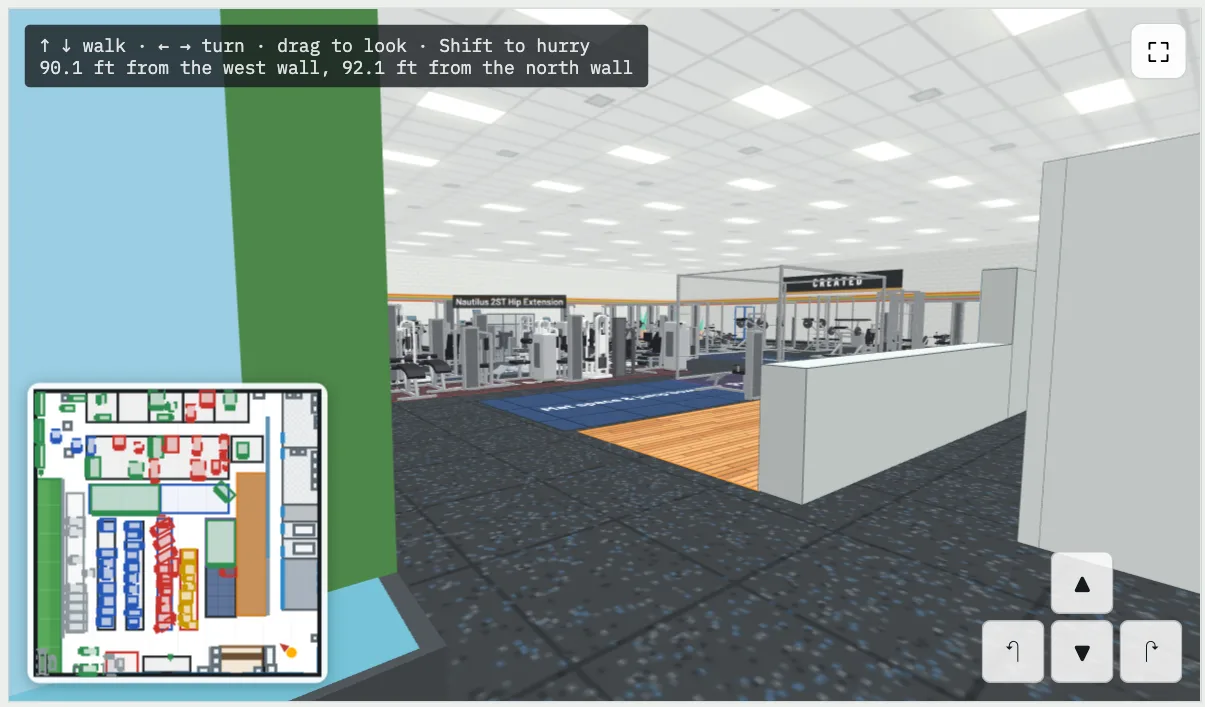
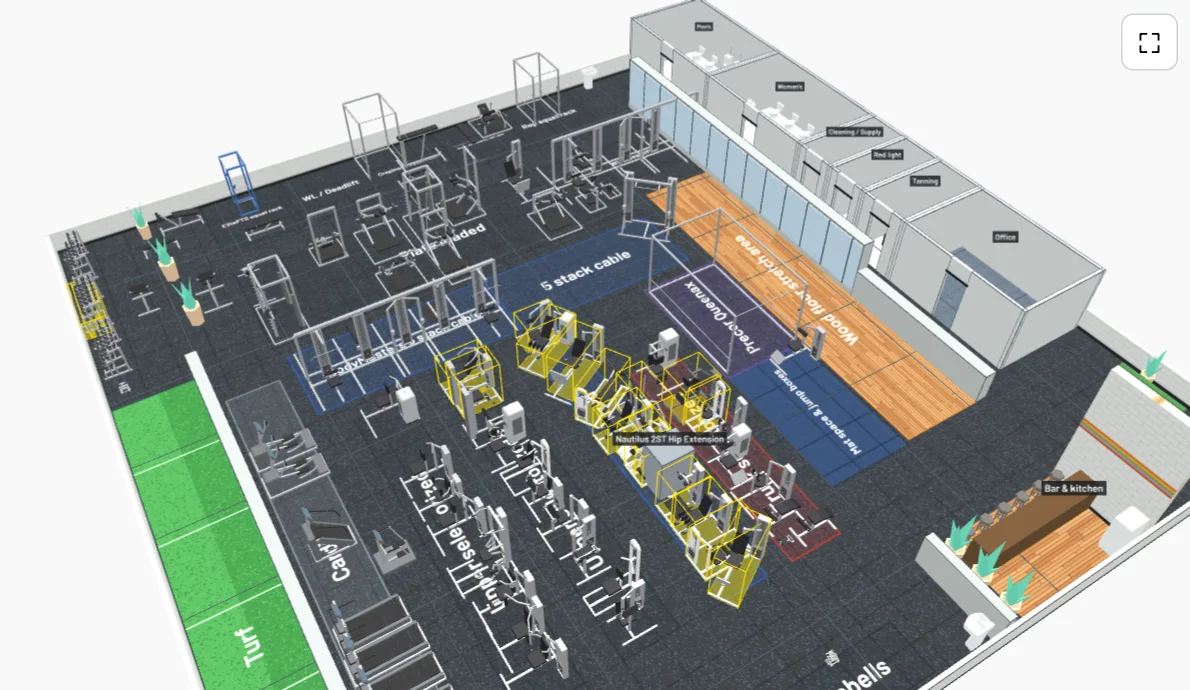
Gym Fleet's 3D view of a gym floor with about 90 machines in place
The 3D view of a real gym floor in Gym Fleet.
8,800+machines in the catalog
160+makers, with logos and sizes
3Dfloor plan you can walk
1 tapto check a machine off the round

Your fleet

Know every machine you own

Each machine gets a tag, a serial number, its maker and model, a photo and where it stands. Filter by location, status or body area. See what is in use, what is in service and what is still blank.

  • Nautilus, Cybex, Atlantis, Body Masters and the rest, matched to the maker's own record
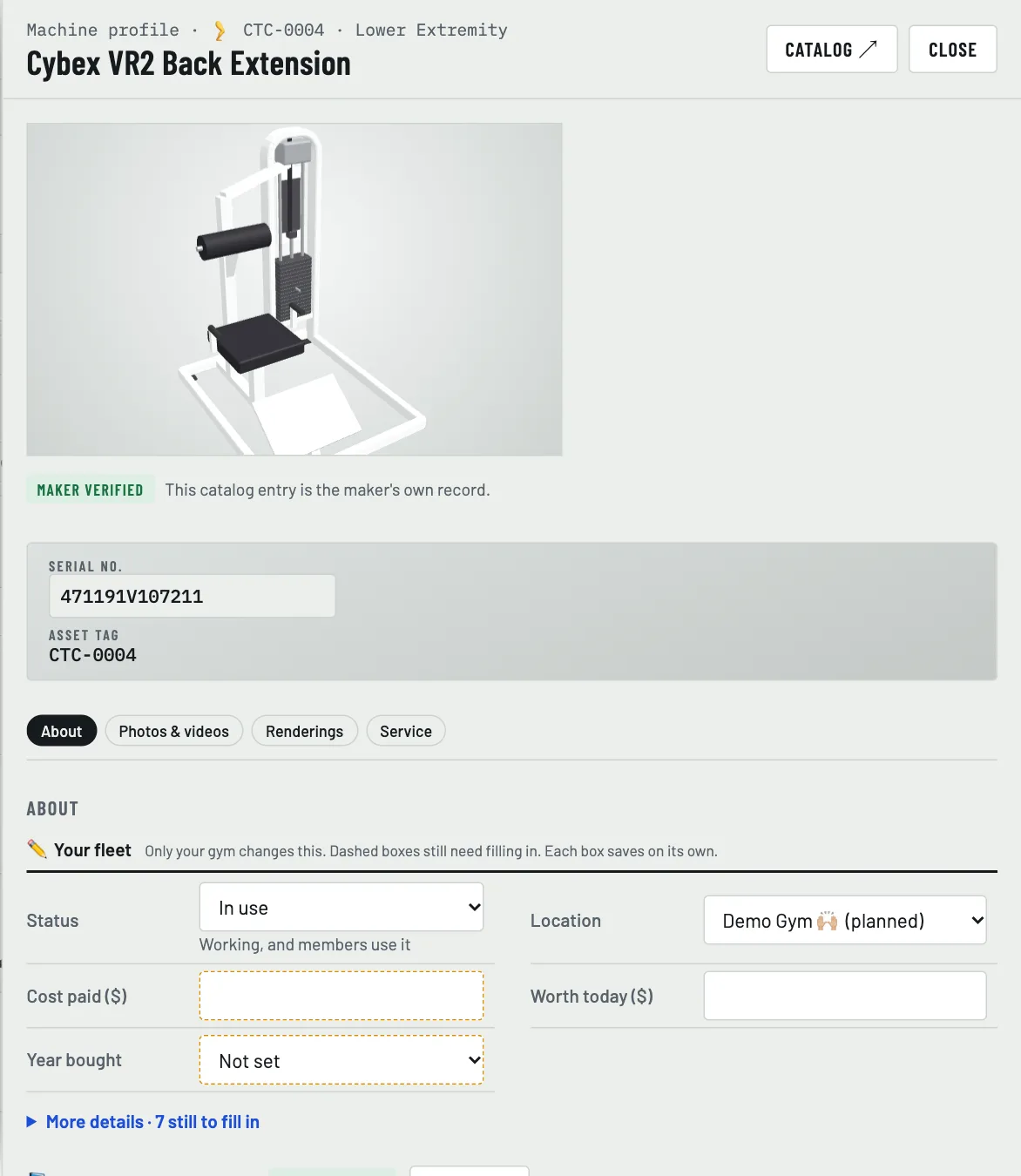
  • Sizes, weight, manual and a 3D model for each one
  • Download the whole list as a spreadsheet
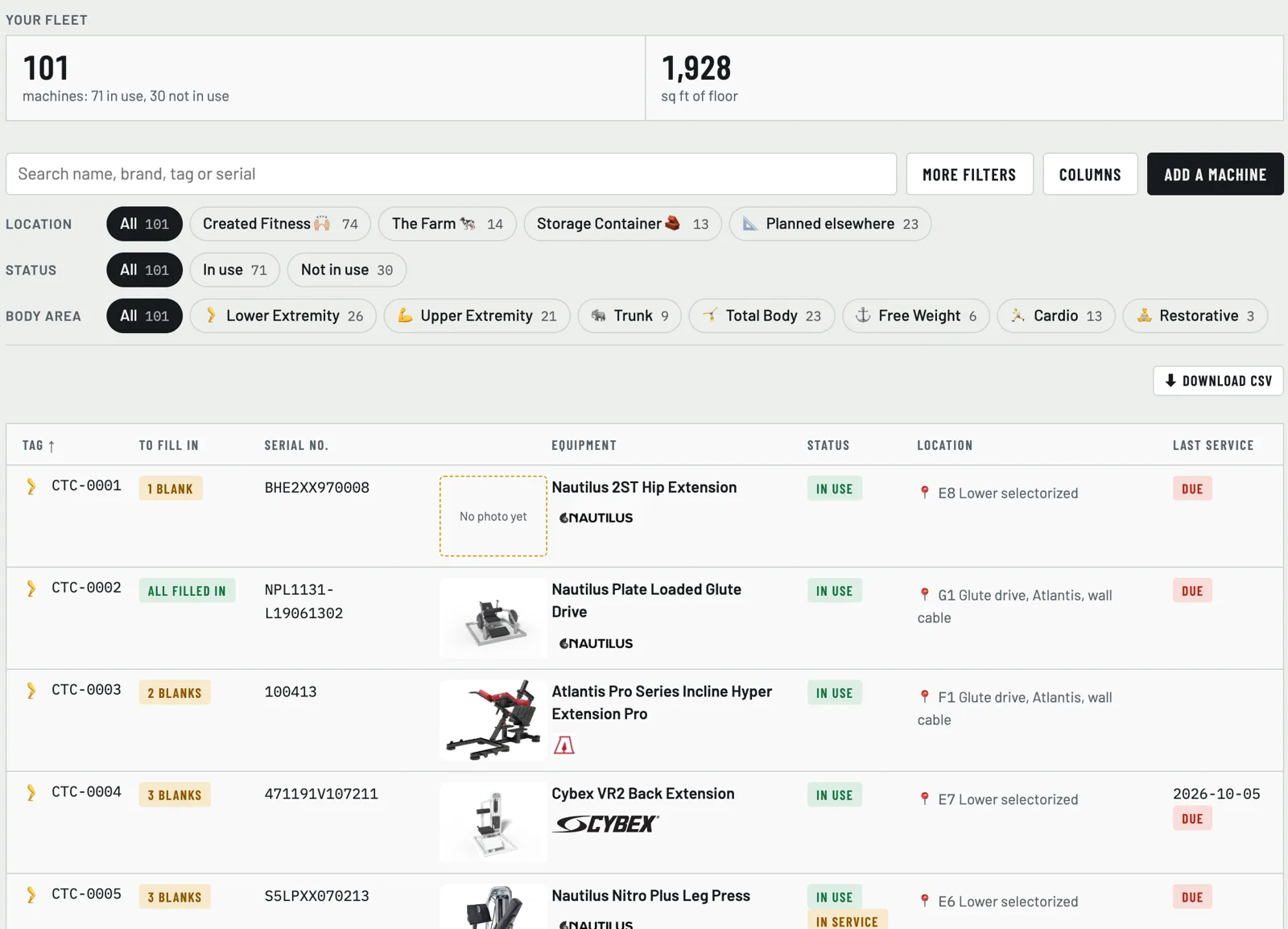
The fleet list: tags, serial numbers, makers, status, location and last service
The fleet list. Tap a machine for its full profile.

Your floor

See the gym in 3D, then walk it

Lay the floor out on a flat plan with a grid. Add zones, rooms, walls, doors, windows and plants. Switch to the 3D view to see every machine in place, or walk through it with the arrow keys.

  • Find any machine on the floor in a second
  • See how many are placed, how many square feet they take, and which overlap
  • Try a new layout before you move anything heavy
Walk mode: a first-person view inside the 3D gym with a small map
Walk mode, with the map in the corner.

Upkeep

A service round that plans itself

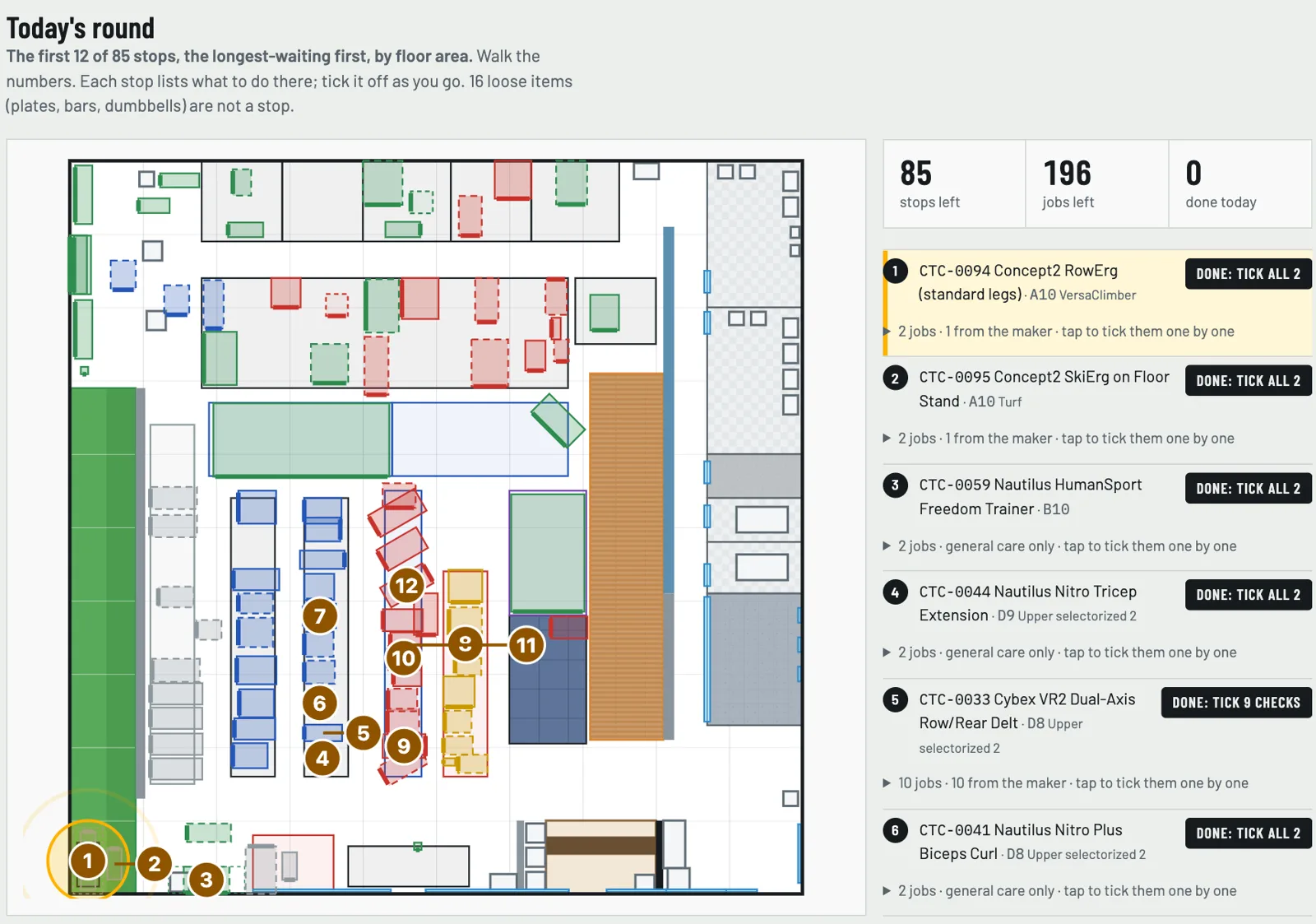
Gym Fleet lists each machine's care jobs, many straight from the maker. Today's round puts the stops on the floor plan in order, the longest-waiting first. Tick a job when it is done and the next date sets itself.

  • Parts, service history and money spent
  • Flag a machine as in service so the front desk knows
  • Photos, videos and files kept with the machine
Today's round: numbered stops on the floor plan and a list of jobs to tick off
Today's round: walk the numbers, tick as you go.

Members and the door

Who comes in, and when

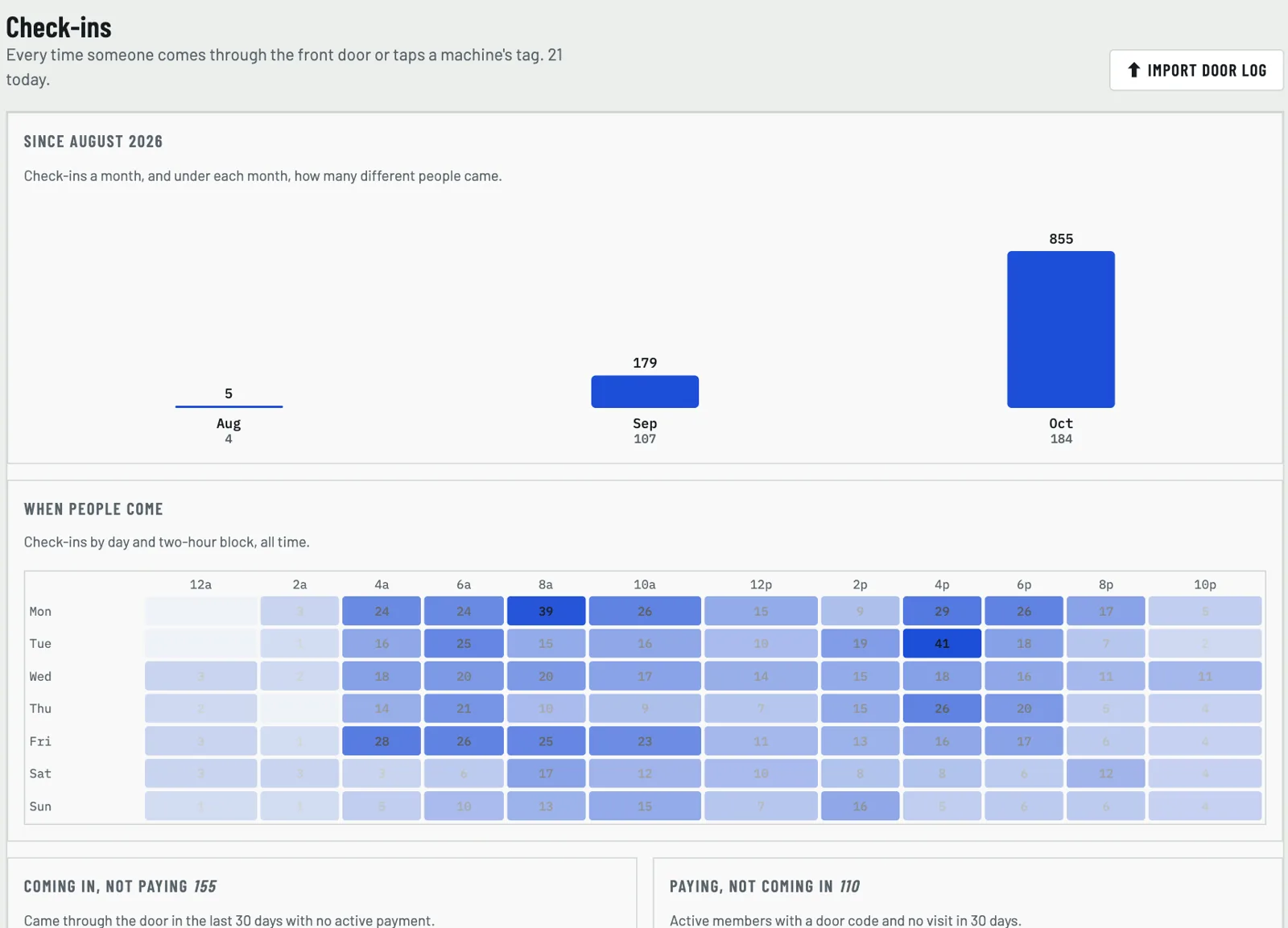
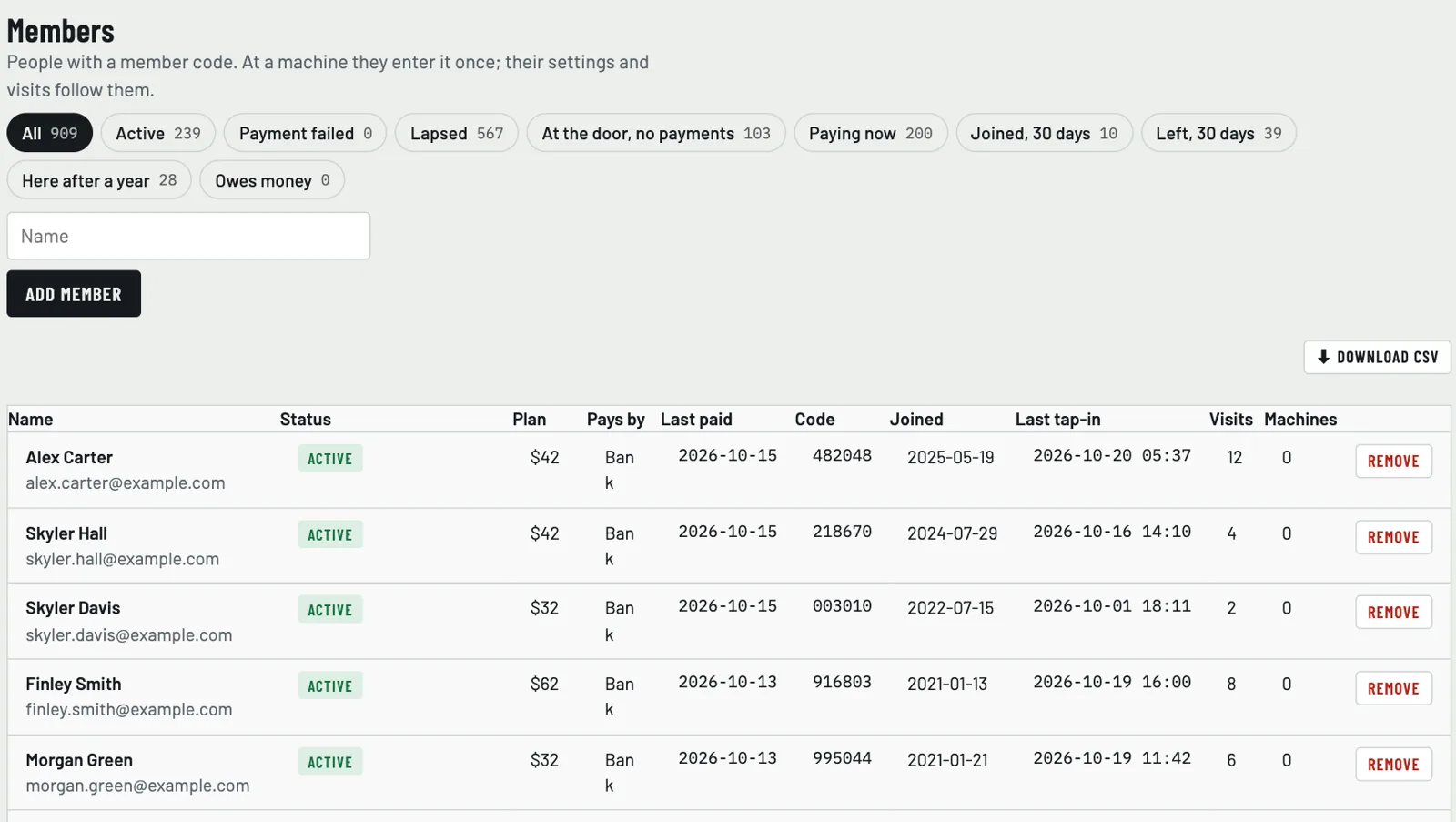
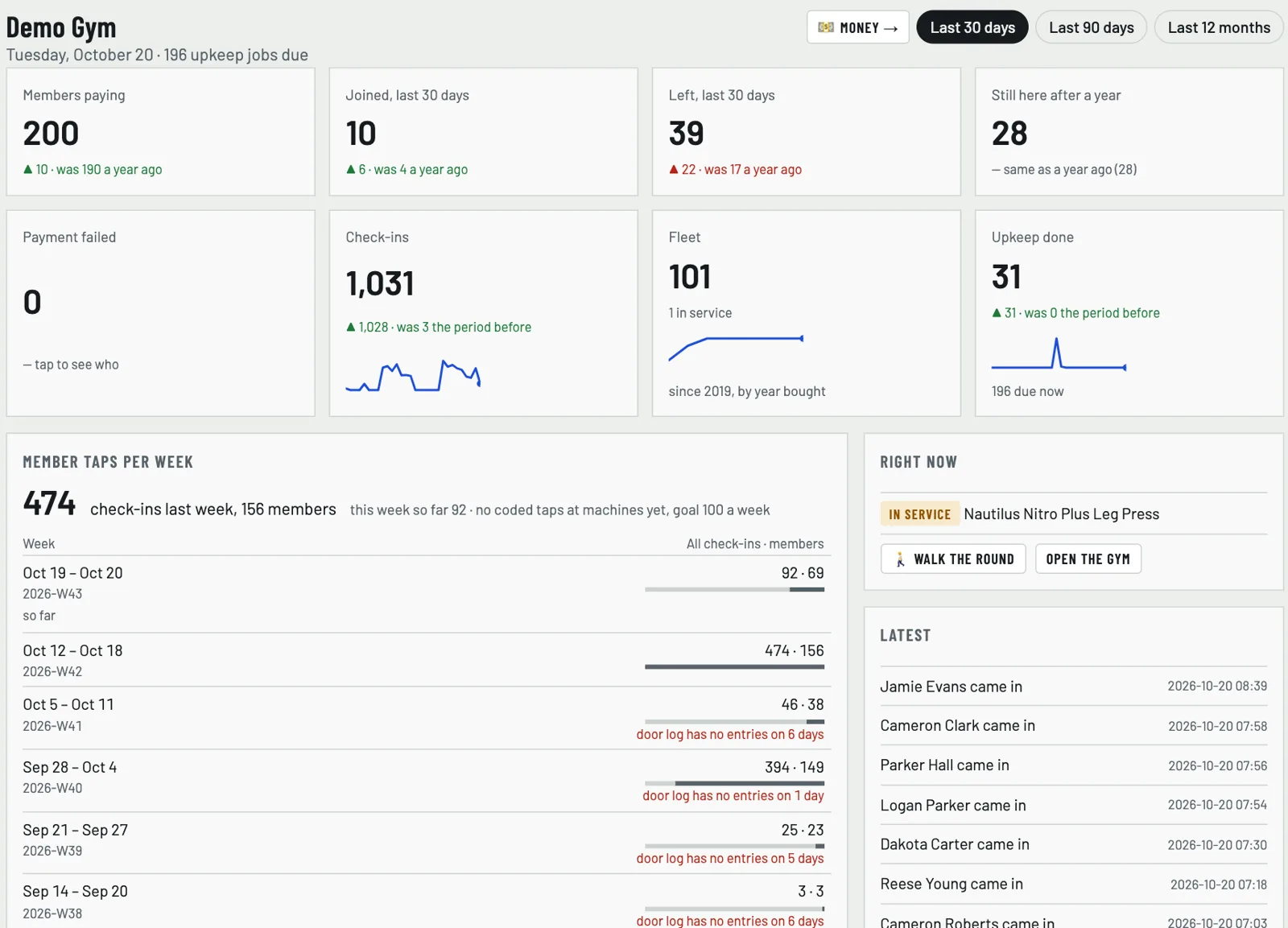
Keep your members with their plan, status and last visit. Bring in the keypad door's entry log and every entry becomes a check-in. See check-ins by month and the busy hours of each day.

  • Active, lapsed, payment failed, joined and left, one tap each
  • Each member gets a code for the machines
  • Home shows members paying, joins, leaves and upkeep done
Check-ins by month and a heat map of busy hours
Check-ins from the door log. Names here are made up.
The members list with status, plan and last visit (sample names)
Home: members paying, joins, leaves, check-ins and upkeep

At the machine

Scan the tag, learn the machine

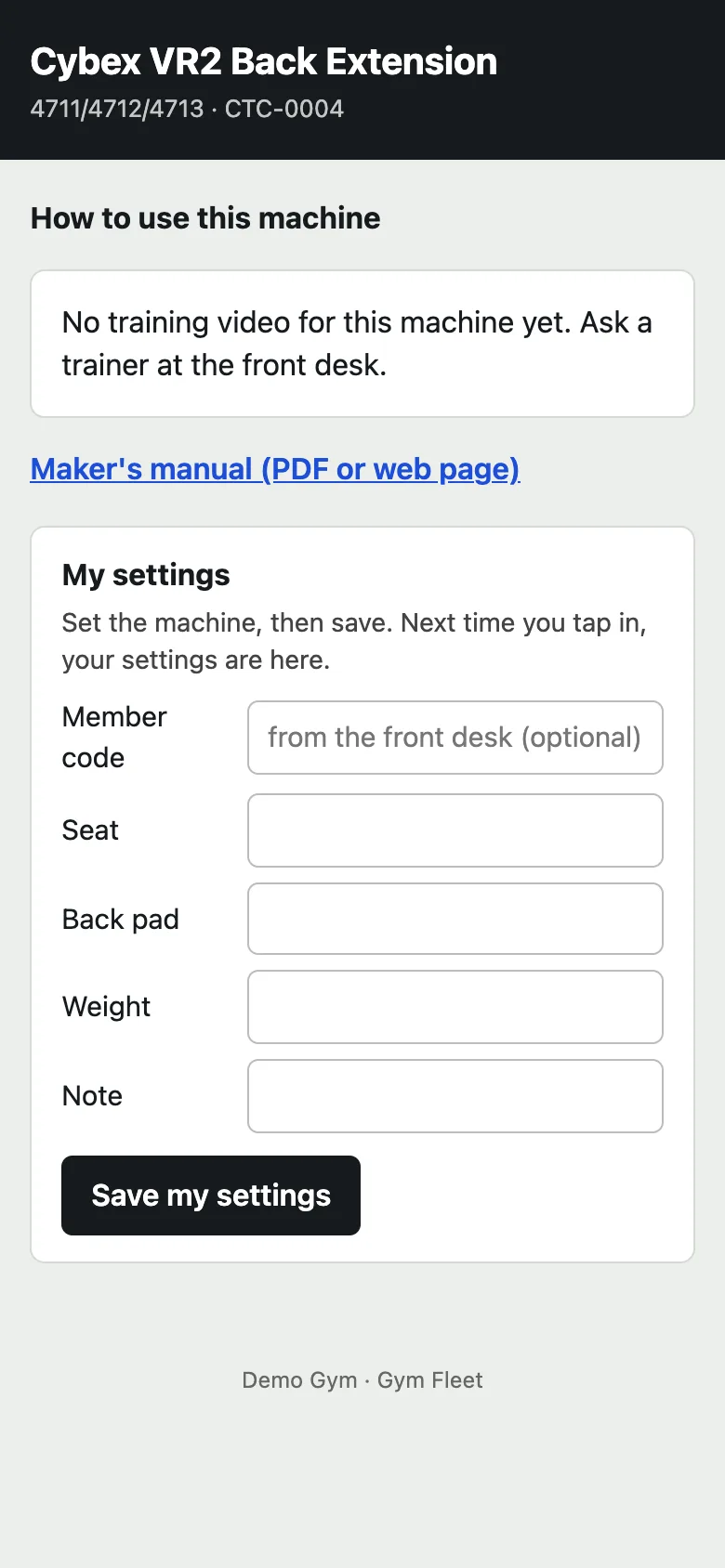
Every machine gets a QR code to stick on it. A member scans it and gets a how-to page on their phone, with the maker's manual. With their member code they save their seat, back pad and weight, and the gym gets a check-in at that machine.

Members never see the gym's app. Their code only works at the machines.

A machine's page on a phone: how to use it and my settings

The catalog

Over 8,800 machines, already looked up

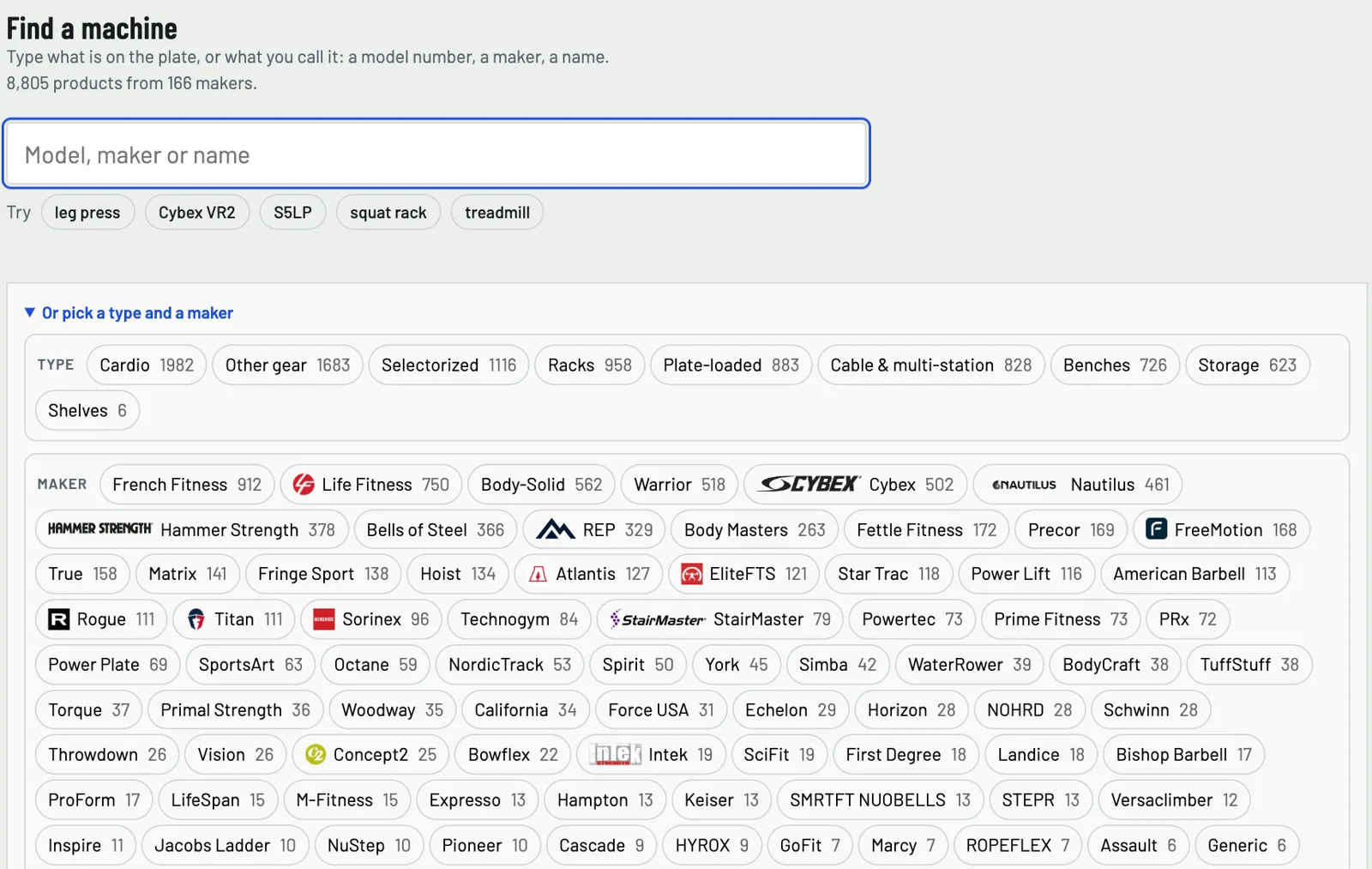
Adding a machine starts from a shared catalog of commercial gym equipment from more than 160 makers. Type what is on the plate: a model number, a maker or a name. Sizes, photos, manuals and how-to videos come with it.

Gyms flag mistakes and suggest fixes. The catalog gets better for every gym.

Find a machine: search by model, maker or name, or pick a type and a maker
A machine's profile with its 3D model and the maker's facts

Who sees what

One gym, three kinds of access

Staff

The gym's staff code opens the app at the front desk: fleet, floor, upkeep, members and check-ins.

Owner

The owner code opens everything staff sees, plus Money, settings, the floor plan's layout and the door log import.

Members

A member's code works only at the machines, to save their settings. It never opens the gym's app.

Run a gym on Gym Fleet?

Sign in with the code your gym gave you. Owners and staff each have their own.

Gym login